



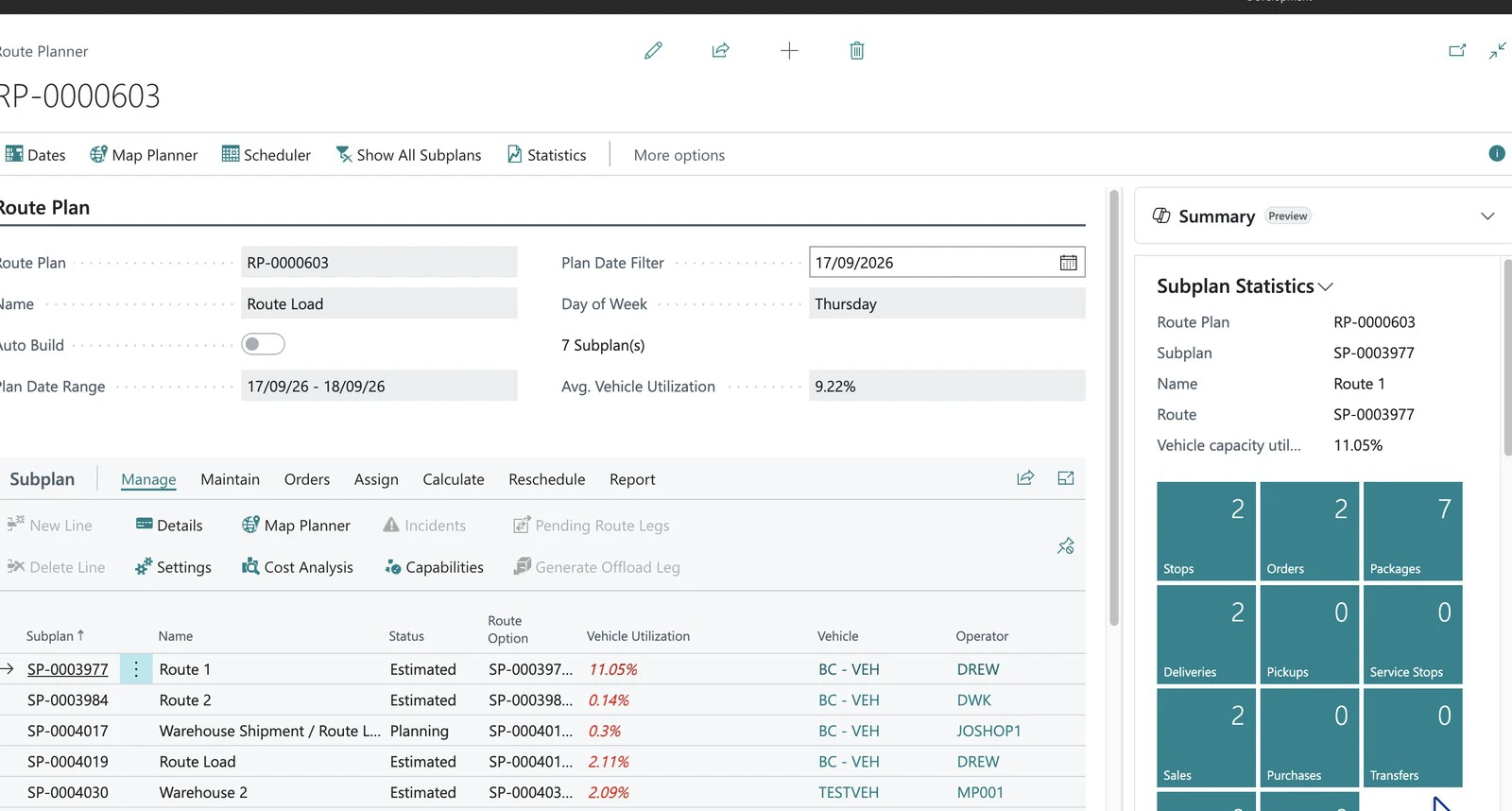




The short answer
Route planning in Microsoft Dynamics 365 decides which orders go on which route and which vehicle and operator does the work. It also sets when the work happens and how to respond when the plan changes.
Microsoft Business Applications cover parts of this. Supply Chain Management plans freight. Business Central manages orders and shipments. Sales maps customer accounts, and Power Apps can order the stops of a single route.
RouteCTRL is a transport management system (TMS) fully integrated into Microsoft Business Applications. It plans routes for the whole fleet from Dynamics 365 orders and dispatches them to operators. It then tracks every route live and records proof of delivery on the same records.
What route planning involves
“Route planning” is used for five different jobs:
- Freight routing: choosing carriers, transport routes and rates for loads moving between locations or through hubs.
- Mapping and navigation: finding an address and giving directions from one point to another.
- Stop sequencing: putting the stops of one vehicle's route in the best order.
- Multi-vehicle route optimization: sharing many stops across vehicles and operators within capacity, time windows, travel times and other constraints.
- Dispatch and execution: releasing work, tracking progress, handling exceptions and recording what happened at each stop.
A map can show the shortest path between stops without knowing whether the vehicle has room for the load or the operator is free. Most delivery and service operations need all five working together.
What Microsoft Dynamics 365 and Power Platform include
Each application covers part of the job. None of them shares a day of customer stops across your own fleet, dispatches the work and collects proof of delivery.
| Application | What it covers for routes | What daily fleet operations still need |
|---|---|---|
 Supply Chain Management |
Freight route plans, load building, route guides, carriers and rates | Daily stop allocation across your own fleet, operator dispatch, mobile proof of delivery |
 Business Central |
Orders, warehouse shipments, addresses, shipping agents, map directions | Multi-vehicle optimization, fleet scheduling, route execution |
 Sales |
Account and contact maps, address suggestions, directions | Fleet allocation, route dispatch, proof of completion |
 Power Platform |
App-building tools, maps, single-route waypoint ordering (preview) | A complete multi-vehicle planning and execution app |
Where daily route planning gets difficult
A simple delivery day can be planned by hand. It gets harder when orders arrive late, stops have fixed time windows, vehicles have different capabilities and customers expect accurate updates. Most teams try one of three approaches.


The real question is which approach takes the work from allocation to verified completion with the fewest handoffs.
How RouteCTRL connects planning with execution
RouteCTRL is fully integrated into Dynamics 365 Supply Chain Management, Business Central, Sales and Microsoft Power Platform. Steps 1 to 3 and 7 happen in Dynamics 365. Steps 4 to 6 happen in the field, and every result syncs back to the same records.
-
Select the work to plan Why it matters: planners see everything that needs assigning, including what is still unplanned, without retyping orders into a separate list.
-
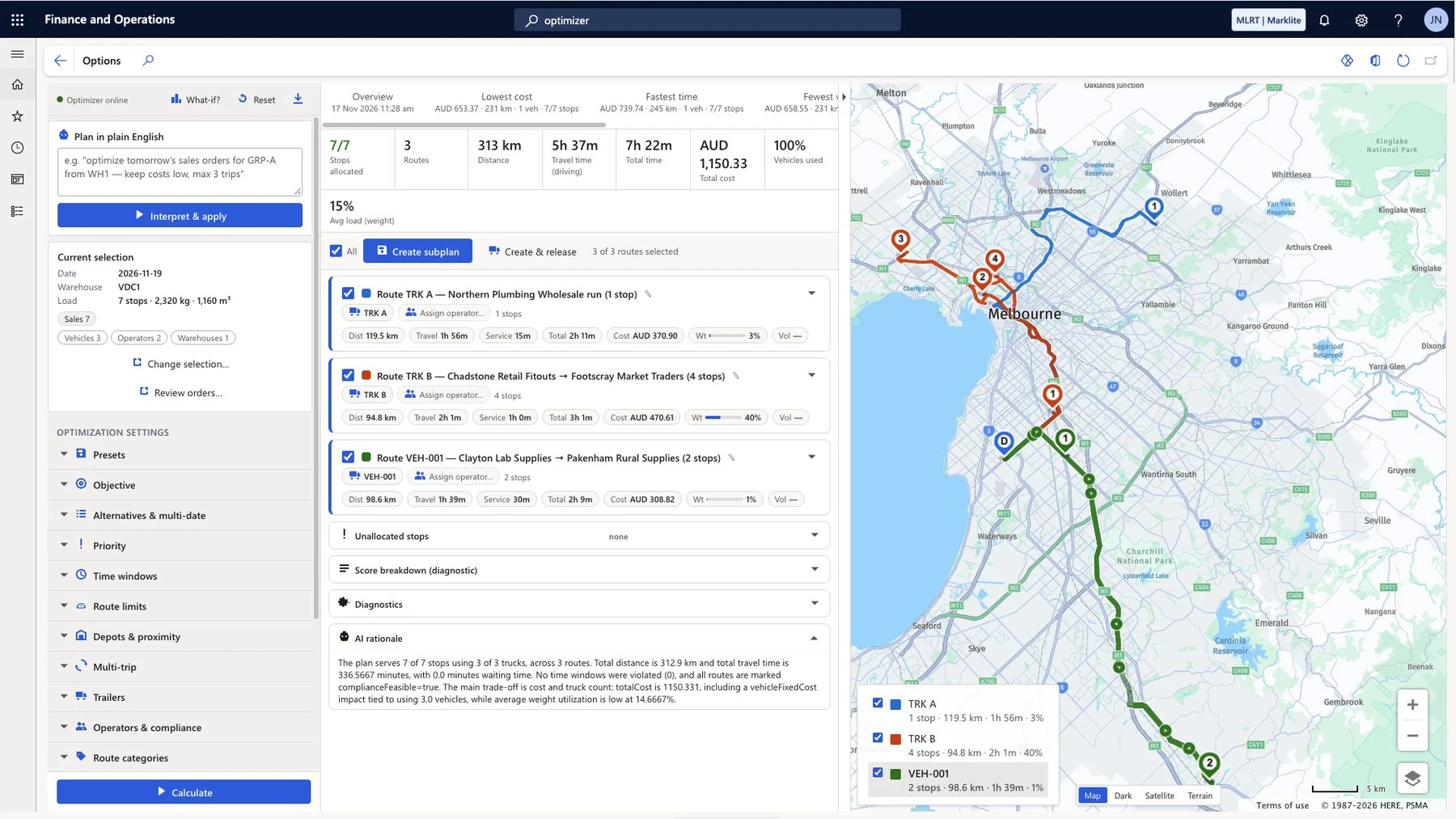
Build and optimize the routes Why it matters: planners choose between workable plans with their costs in view, not the shortest-looking line on a map.
-
Schedule vehicles, operators and time slots Why it matters: conflicts show up before dispatch, so everyone knows who is doing what before a route is released.
-
Release work to the Operator App Why it matters: operators work from one assigned route, and dispatch gets what happened in the field without chasing calls, messages and paper.
-
Respond to changes during the day Why it matters: dispatchers adjust the day while it is happening and see the effect straight away, so the plan keeps up with reality.
-
Capture delivery and job outcomes Why it matters: customer service and finance work from the recorded outcome the moment it happens, not from paperwork days later.
-
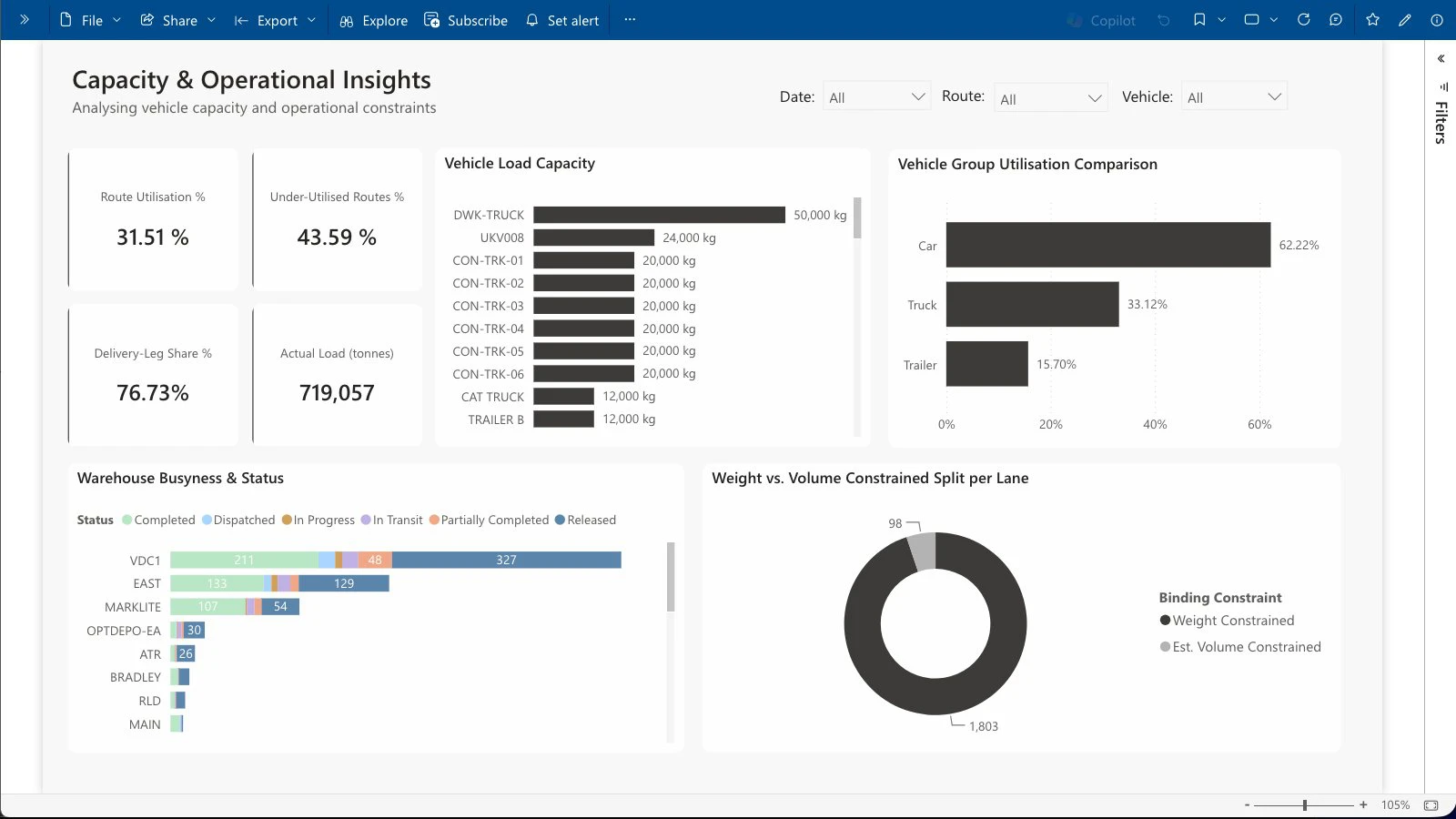
Compare the plan with what happened Why it matters: managers find repeat problems, such as unrealistic delivery windows, underused vehicles or recurring delays, and use the evidence to improve planning rules.
Frequently asked questions
Business Central handles orders, warehouse shipments, shipping agents, delivery addresses and online map directions. It does not include standard multi-vehicle route optimization or operator dispatch. RouteCTRL for Business Central adds route planning, optimization, dispatch, the Operator App and proof of delivery inside Business Central.
Yes, for freight. Supply Chain Management includes transportation planning, route guides, scheduled routes, load planning, carrier selection and freight rating. RouteCTRL adds the daily layer: sharing stops across your own vehicles and operators, dispatch, live tracking and proof of delivery.
The Power Apps map control can calculate a route between waypoints and reorder the stops by time or distance. Microsoft documents this as a preview feature, and it works on one route at a time. It does not share work across a fleet or provide dispatch, an operator app or proof of delivery.
Route planning is the whole decision: what work must be done, by whom, with which vehicle and when. Route optimization is the calculation that finds the best allocation and stop order for your goals and constraints. Optimization is one step in planning. Dispatch and execution follow it.