








The short answer
AI in Dynamics 365 helps operations teams in three places: answering questions about the business, proposing plans for a person to approve, and processing documents and routine entries. Each use depends on the records underneath it. Clean master data, agreed definitions and a named approver decide whether people trust the output.
What is AI in Microsoft Dynamics 365?
In this guide, AI in Microsoft Dynamics 365 means any capability that works with Dynamics 365 records and returns an answer, a proposal or a completed entry. It comes from four sources:
- Microsoft Copilot built into each app. In Business Central online, Copilot is included with the license at no extra cost (except for ISV Embed apps). It drafts marketing text for items, helps reconcile bank accounts and builds analysis views on lists. Sales line suggestions are still in preview (Microsoft Learn).
- Microsoft agents that complete multi-step work, such as the Sales Order Agent and Payables Agent in Business Central and the Procurement Agent's supplier communications in Supply Chain Management (in preview). Depending on setup, an agent hands its work back for review or sends some messages itself. Agents consume Copilot Credits.
- Custom agents and automations built on Microsoft Power Platform with Copilot Studio and Power Automate.
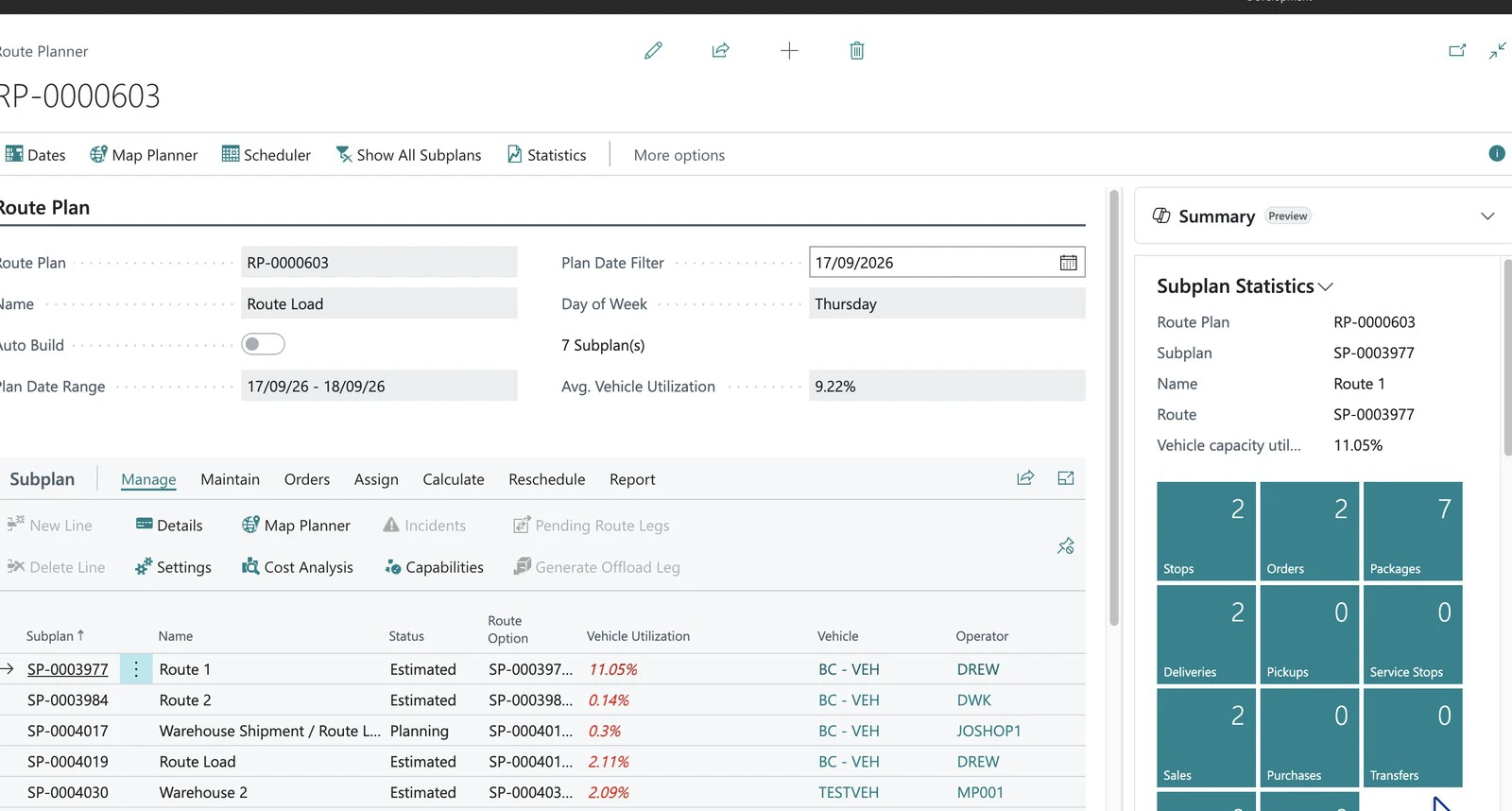
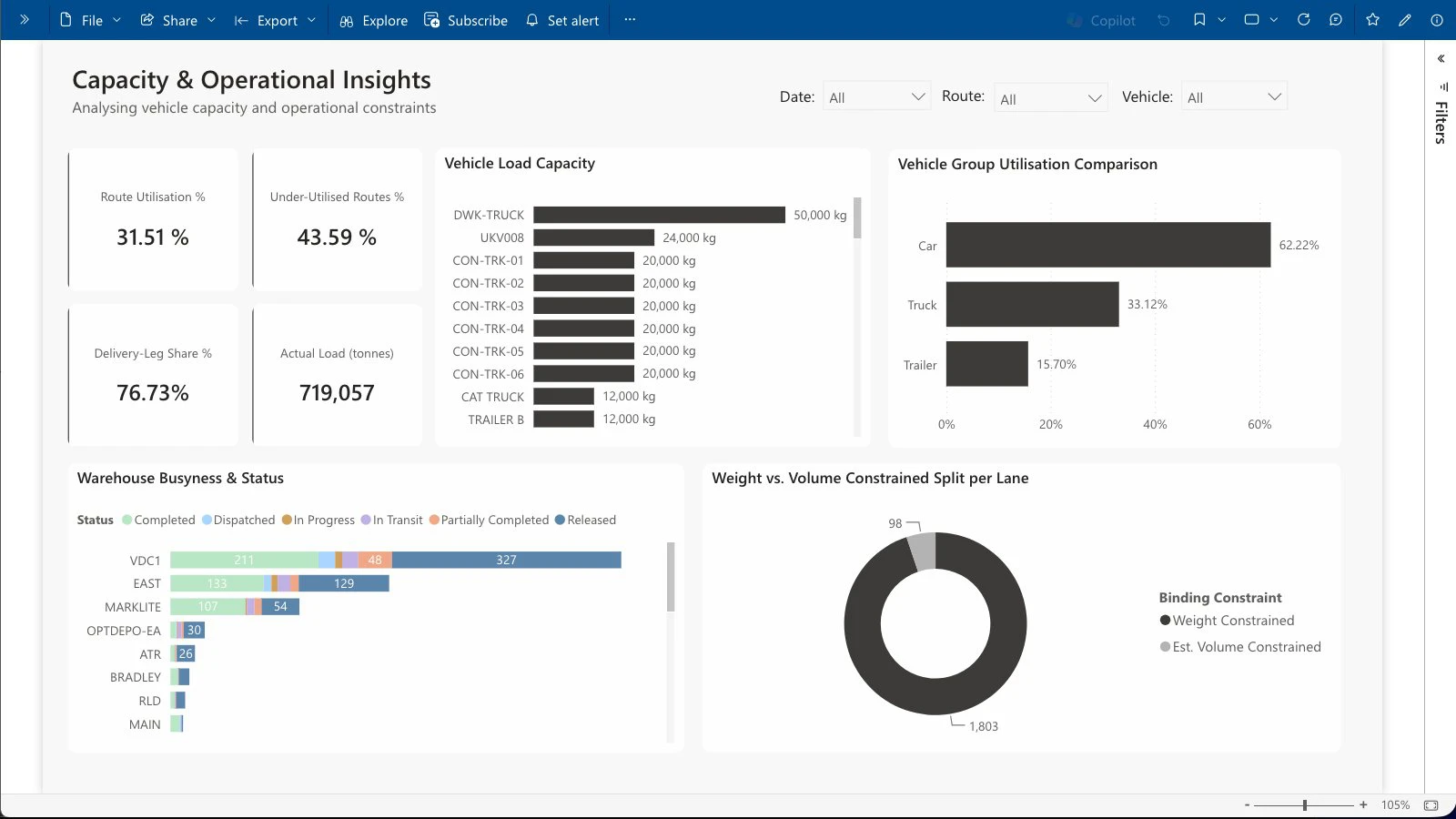
- Applications fully integrated into Dynamics 365 that use AI for one defined job, such as the AI Planning Assistant in RouteCTRL or plain-language reporting in InsightsCTRL.
In operations work, all four depend on Dynamics 365 records such as customers, items, orders and ledger entries, even though each reads a different part of them. That is why data quality usually decides results more than the choice of tool.
Why do AI pilots in Dynamics 365 stall?
Many stall at the same point: people stop trusting the output and start checking it by hand. The cause is usually in the data. Finance calculates margin with one cost definition and the AI uses another, so the two figures disagree. Route proposals send trucks to addresses that were never geocoded, and drafted invoices pick up duplicate vendor records. Once every output needs a manual check, the time saving is gone and the pilot ends.
Switching to another AI feature rarely helps. What fixes it is the record, rule or approval step the current feature depends on.
Where does AI fit in Dynamics 365 operations?
At Marklite we group AI uses into three areas: ask, plan and process. The grouping is ours, not a Microsoft list. Each solves a different problem and reads different data.
| Area | Problem it solves | Example in Dynamics 365 | Depends on |
|---|---|---|---|
| Ask | Managers wait days for a report an analyst has to build | A finance lead asks for gross margin by customer for last quarter and gets the report | Approved definitions, access permissions, posted transactions |
| Plan | Planners select orders and build routes from memory | A planner describes tomorrow's deliveries in plain English and reviews the optimized routes | Geocoded addresses, service times, vehicle capacities, delivery windows |
| Process | Staff retype documents and repeat routine entries | A vendor invoice is read and a draft purchase invoice is created for review | Vendor and item master data, posting setup, an approver |
How does AI speed up reporting in Dynamics 365?
A manager needs one figure, so an analyst builds a report, and the answer often arrives after the decision has been made. If the question changes, the request goes back in the queue.
Plain-language reporting shortens the analyst queue for routine questions. Two Microsoft examples: analysis assist builds analysis views on Business Central lists, and Copilot in Power BI answers questions about a semantic model someone has already built. Copilot in Power BI needs Fabric F2 or Power BI Premium P1 capacity or higher; a Pro license alone is not enough. InsightsCTRL, Marklite's reporting workspace, reads Dynamics 365 Supply Chain Management live, with Business Central in early use. Every read runs with the person's own Dynamics 365 security, within the data areas an administrator assigns. The app calculates measures from definitions finance has approved and shows how each figure was calculated. A follow-up such as "group by region instead" produces a new version of the report, and the result can be scheduled by email.
Depends on: approved definitions for measures such as gross margin, reporting permissions set per person, and posted transactions.
More detail: How to get Dynamics 365 reports by asking questions in plain language, and the InsightsCTRL guide to AI reporting for Microsoft Dynamics 365.
Can AI plan delivery routes in Dynamics 365?
Without help, orders are assigned from experience. Plans then depend on who is working that day, and capacity gets checked at the dock.
The RouteCTRL AI Planning Assistant, a licensed add-on, accepts a plain-English instruction, for example "plan tomorrow's deliveries for the north region with two vans". It selects the matching orders, confirms the selection with the planner, runs the Optimizer and shows the proposed routes. The planner compares options, adjusts in the Scheduler and releases routes to operators on the Operator App. In this workflow, nothing is released without the planner's approval. Teams that switch on route automation can let scheduled runs build and release routes under an approved policy. Step by step: AI route planning in Dynamics 365.
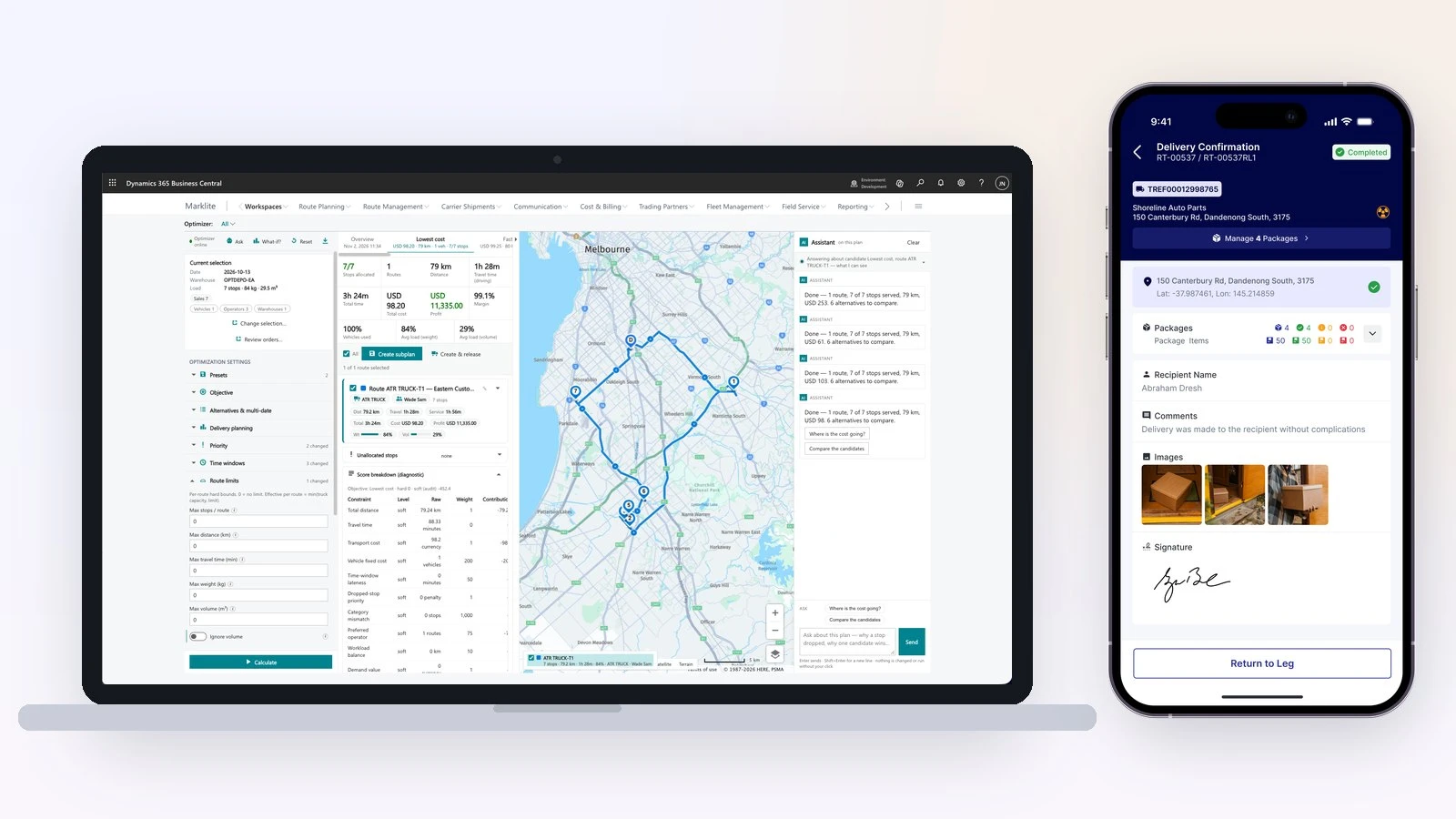
Depends on: geocoded addresses, service times per stop, vehicle capacities and capabilities, and delivery windows on the order.
For the full planning workflow, see our guide to route planning in Microsoft Dynamics 365 and Power Platform.
What can AI do with invoices, orders and routine entries?
Data from documents and emails is often retyped into Dynamics 365 by hand, and the errors surface at month end.
Copilot features in each app draft text and suggest entries inside the page where the work happens. In Dynamics 365 Sales, for example, Copilot summarizes an opportunity and drafts email replies for the seller to edit. Agents go further. The Business Central Payables Agent monitors a set mailbox for PDF vendor invoices and credit memos and drafts purchase documents for a person to review; it does not post them. The Sales Order Agent reads customer order emails, checks inventory if you configure it to, and prepares quotes or orders. A person approves its outgoing emails, along with any other review steps you set. For other document types, Power Automate and AI Builder can create draft records the same way. For what agents cost, see how much AI in Business Central costs. For delivery paperwork, see from proof of delivery to invoice in Business Central.
Depends on: complete vendor, customer and item records, number series and posting setup, and a named approver for each document type.
What should you prepare before switching AI on?
Prepare the records and rules the first use case reads. That usually means removing duplicate customers and vendors, completing addresses, agreeing measure definitions with finance, and checking security roles and agent permissions so AI answers respect the same access as the rest of Dynamics 365.
A step-by-step checklist is in How to prepare Dynamics 365 data for Copilot and AI.
What should every AI rollout in Dynamics 365 include?
- Start with one process and one owner. Pick a task that happens daily, has a clear right answer, and has a person who signs off the result.
- Write definitions before prompts. If finance and sales calculate margin differently, decide which one the AI uses and record it.
- Keep an approval step. Proposals and drafts should be reviewed before routes are released or documents are posted.
- Check permissions. Test AI answers while signed in as users with restricted roles, not only as an administrator.
- Measure before and after. Record time per task, rework and corrections for two weeks before go-live, then compare.
- Budget for agents separately. Copilot in Business Central is included with the license, but agents consume Copilot Credits, and a billing model must be set up before they run. Estimate how many documents each agent will handle per month.
How does Marklite approach AI work in Dynamics 365?
We implement, extend and support Business Central, Supply Chain Management, Sales and Power Platform, and we build our own software on them. RouteCTRL and InsightsCTRL both read live Dynamics 365 records, so the data work above is work we do on our own products first.
A useful first step is to choose one process where an answer, a plan or a draft would save time every day, then check the records it depends on. If you want a second view on that choice, talk to us about the process and the Dynamics 365 app it runs in.